Getting started
Install the app, pick a working folder, understand permission modes and plan mode. Guardrails first, speed second.
Claude Code is not just for developers. We train your teams to hand whole tasks to an agent: file analysis, reports, internal tools, automations.
Let's DiscussTrusted by

























What is Claude Code?
Claude Code is Anthropic's agent. You give it a working folder: it reads your files, runs commands and delivers a complete result.
The name is misleading. We use it as much to cross-reference three Excel exports as to write software. And it runs in a desktop app, not only in a terminal.
Claude Code
~/sales-reporting
Cross-reference the three exports in the sales folder and prepare the monthly review
Reading sales_q3.xlsx, crm_export.csv and targets.pdf
4-step plan proposed, approved
monthly-review.html created, gaps flagged in red
Ready for the next task
The programme
Every module starts from a real task of your teams. We install, we practise, and you leave with something that runs.
Install the app, pick a working folder, understand permission modes and plan mode. Guardrails first, speed second.
Scope a request, review a plan, manage context and roll back. The CLAUDE.md file keeps the project's memory from one session to the next.
Encode your methods into reusable skills and connect Claude Code to your tools: CRM, Notion, Google Drive, databases.
Schedule routines, chain sub-agents, deploy an internal tool. What used to be manual now runs on its own, with checks.
In practice
Screenshots from our own sessions. This is the interface your teams learn during the training.
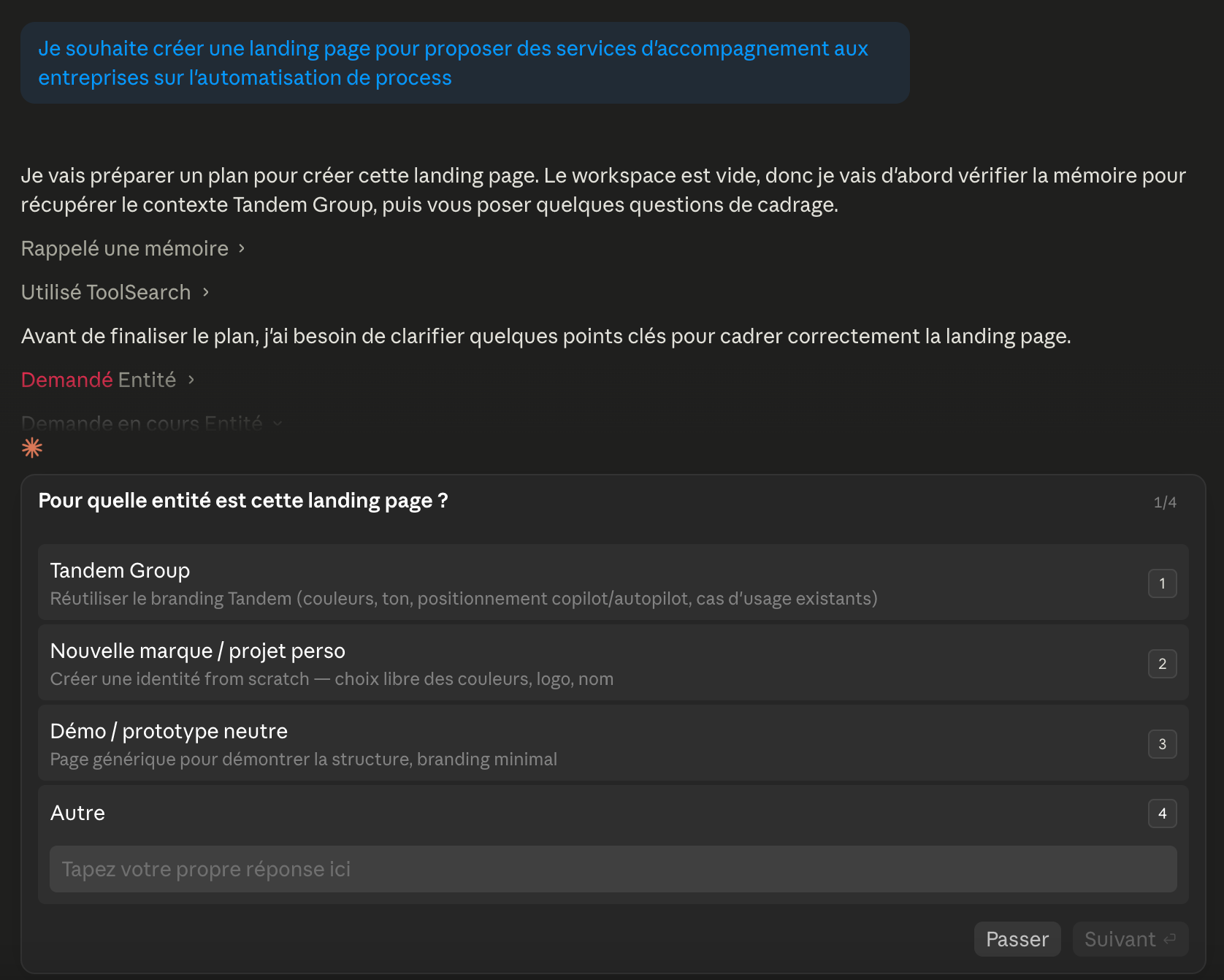
Before running anything, Claude Code asks its questions. One minute of scoping saves twenty minutes of fixing.
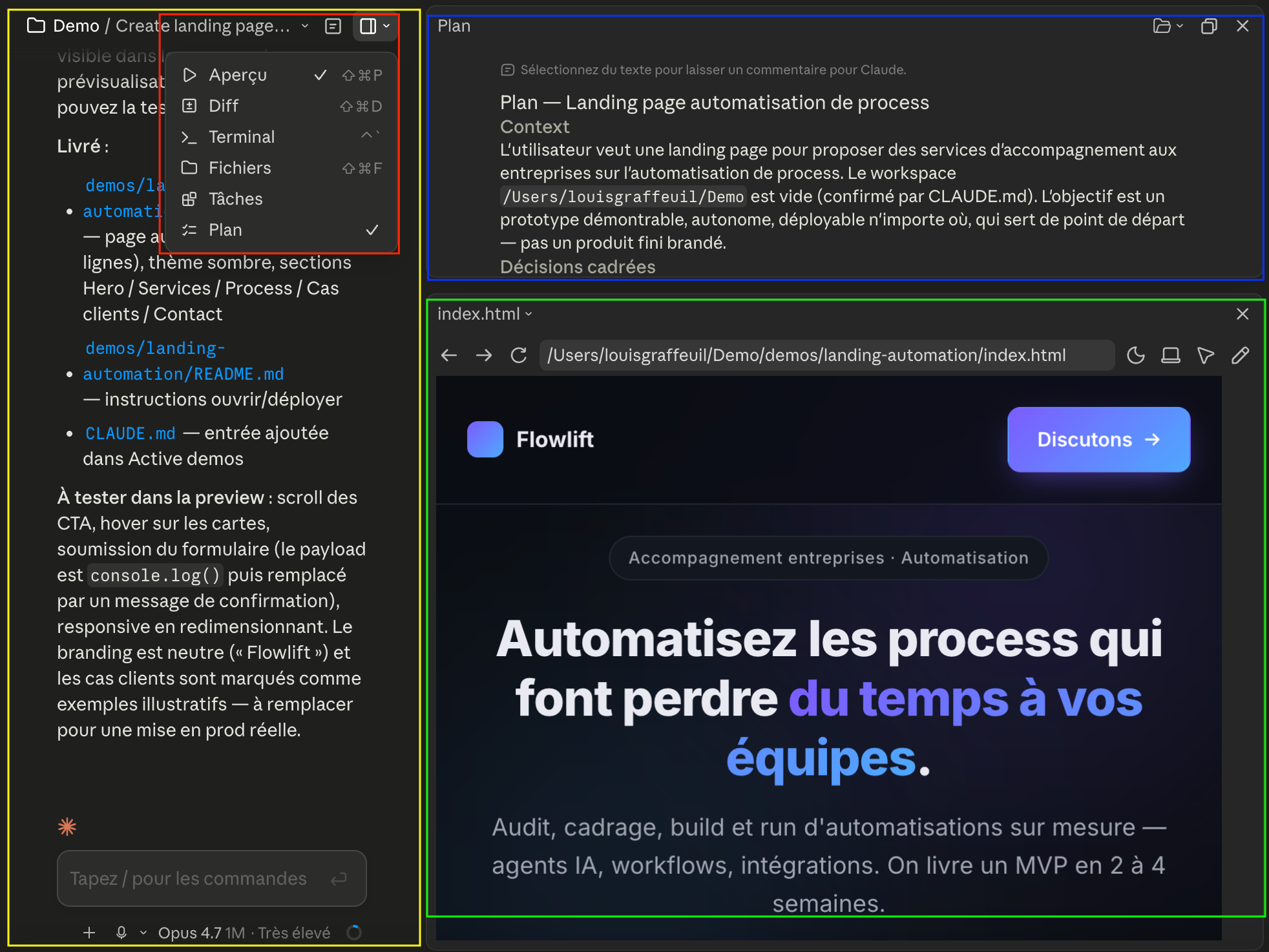
Plan mode details every step before any change. The preview shows the result live, in the same window.
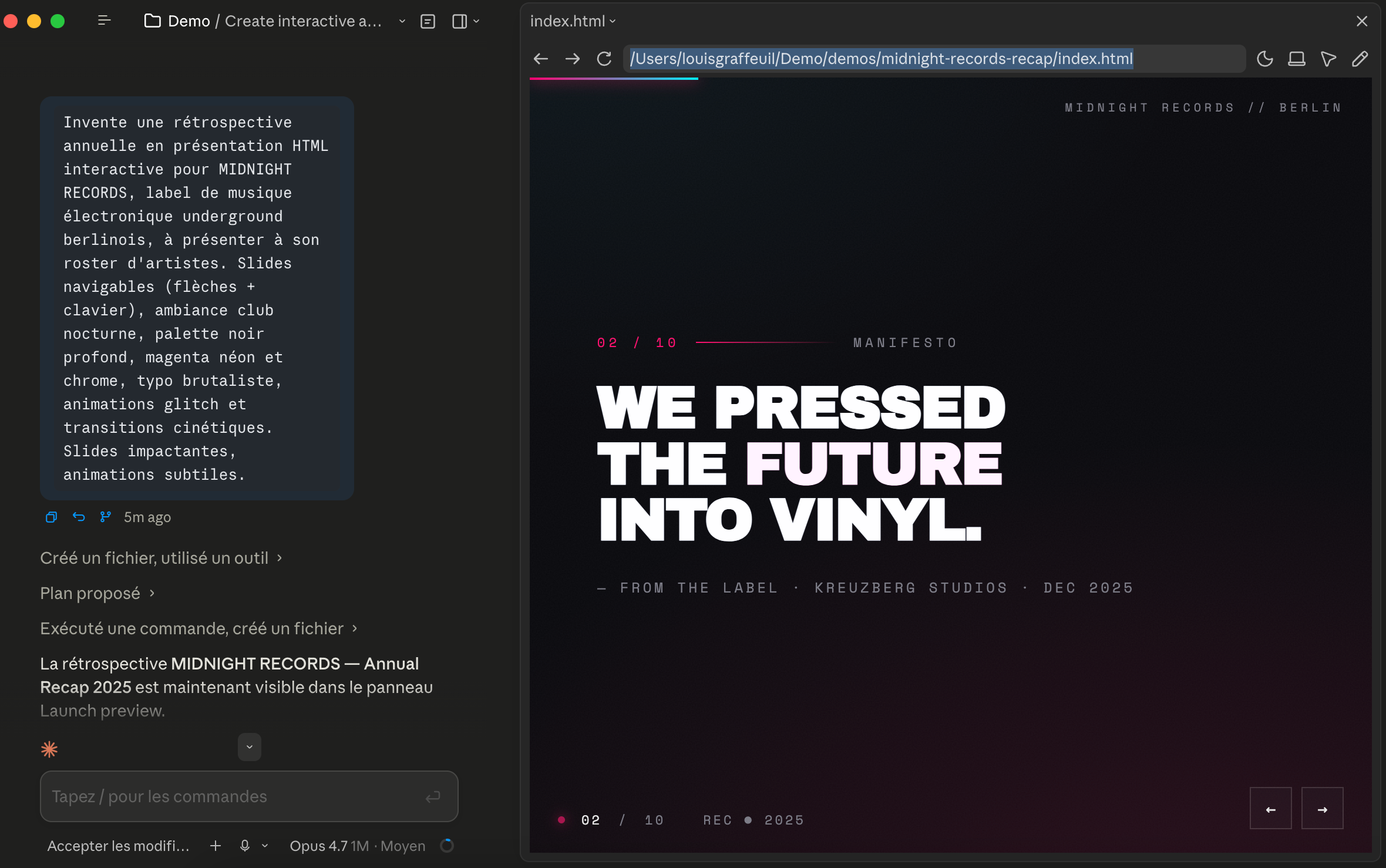
An interactive presentation generated from a few lines of brief, ready to review and share.
The formats
Every format starts from your real use cases, not generic demos.
Half a day
Install Claude Code on every workstation, set the guardrails and deliver a first result on your own files.
2 to 3 sessions
Ops, finance, marketing, sales: every participant builds their skills and automates a recurring task of their role.
2 to 3 sessions
Developers and data: CLAUDE.md, sub-agents, hooks, MCP and integration into the team's Git workflow.
Continuous
We build your first production agent with you, then office hours and a watch on Anthropic's releases.
30 minutes to map your use cases and build the right track.
Let's DiscussClaude Code is no longer a developer-only tool. What you produce without writing code, the six permission modes, the four-step path, the real budget and what French schemes fund in 2026.
Read the guideClaude Code works without knowing how to code. The five-minute setup, the six permission modes, three concrete cases and what the agent will not do for you.
Read the guideClaude Code is included in every paid Claude plan, from around 19 euros a month. Full grid as of September 2026, real cost per person and the levers that bring it down.
Read the guideNo. You need to be comfortable with your computer and your files, not to have a developer background. Claude Code writes the code: you describe the expected result and you review. We regularly train business profiles to build their first agents.
Cowork runs tasks on your files from the Claude app, within a simple frame. Claude Code goes further: it works in a project folder, plugs into your tools through MCP, keeps a project memory and can run routines on its own. For a business team, Cowork is often the first step and Claude Code the next one.
Claude Code is included in Claude's paid plans and in the enterprise offers. We help you pick the right plan before the first session, based on the intended use. Our Claude Code pricing comparison details the limits of each plan.
The training starts with guardrails: a dedicated working folder, permission modes that require approval before any sensitive action, and plan mode to review before running. We also define with you which data can go through the tool and which stays out.
Both. The first workshop works best on site, to install the tool on every workstation and unblock the first cases together. Later sessions and project support work very well remotely.
Every participant leaves with at least one concrete case running on their own files: an automated report, an internal tool or a scheduled routine. And with the method to build the next ones without us.
What next?
Once teams are trained, here is what usually comes next for our clients.
All profiles
Also train teams on Claude Chat, Projects and Cowork.
Agents
Have Tandem build your production agents.
Internal tool
Build the custom internal tool your teams are waiting for.
Workflows
Orchestrate your processes across your tools with n8n workflows.